
Your content is good. Your design is clean. Your team is posting blogs consistently.
And yet your rankings are stuck.
According to Semrush’s 2025 Website Health Benchmark Report, 72 percent of websites fail at least one critical technical SEO factor, directly impacting crawlability, indexation, and search visibility. That is not a small problem. That is most of the internet quietly leaving rankings on the table.
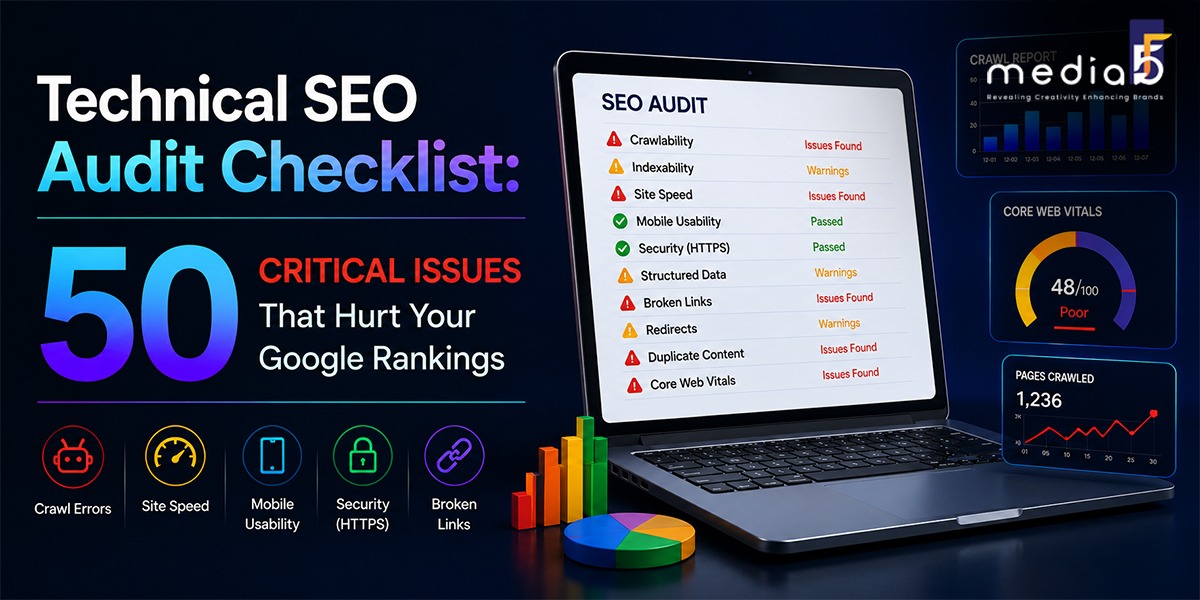
A proper website SEO audit finds exactly where your site is losing ground and gives you a clear roadmap to fix it. This checklist covers 50 of the most critical issues across six core areas. Work through them in order, and you will uncover the exact issues holding your rankings back.
Section 1: Crawlability and Indexation
This is where every audit starts. If Google cannot crawl and index your pages, nothing else matters.
- Robots.txt blocking important pages:
A single misplaced rule in your robots.txt file can accidentally block Google from crawling your entire website. Always verify this first.
- Pages stuck in "Discovered but not indexed
Check your Google Search Console Coverage report. Pages sitting in this state are being seen but not stored by Google, usually due to quality or crawl budget issues.
- XML sitemap errors
Only indexable canonical URLs should be included in your sitemap. A 404 page, redirect URLs or noindex pages will not help Google.
- Orphan pages with no internal links
Pages that no other page links to are essentially invisible. Google rarely discovers or prioritizes them.
- Crawl budget being wasted on low-value pages
Tag archives, infinite scroll pages, search result pages, and broken URLs consume your crawl budget and don’t contribute any ranking power.
- Noindex tags on pages that should rank
It occurs more frequently than you may think, particularly following a site migration or even CMS update. Be sure to check that your most important pages are in fact indexed.
- Canonical tags pointing to the wrong URLs
A misconfigured canonical tag tells Google to credit a different page for your content. Your rankings go to a page that may not even exist.
- Redirect chains longer than one hop
Every redirect hop introduces latency and forces Googlebot to spend a crawl slot on a URL that delivers no content. Flatten every chain so URLs point directly to their final destination.
- 302 redirects used instead of 301s
Temporary redirects don’t share 100% link equity. If it’s a permanent redirect, it should be a “301.”
- Duplicate versions of the site being indexed
www and non-www, http and https, trailing slash or no trailing slash. Any copy of your site that’s available to Google increases the risk for duplicate content. There should be only one version that is indexed, and the others cleanly redirect.
Section 2: Site Speed and Core Web Vitals
Failing Core Web Vitals benchmarks can negatively impact a website’s rankings in competitive search results. Speed is not just a user experience issue. It is a direct ranking factor.
- Largest Contentful Paint above 2.5 seconds
LCP measures how quickly the main content of a page loads. Anything above 2.5 seconds is a ranking liability.
- Interaction to Next Paint above 200 milliseconds
INP replaced the older First Input Delay metric. A lot of older checklists still have not caught up to this change. If your audit tool is still reporting FID, your data is outdated.
- Cumulative Layout Shift above 0.1
Pages that visually shift while loading frustrate users and signal poor experience to Google.
- Render-blocking JavaScript and CSS
Scripts and stylesheets that load before page content delay everything the user sees first. Critical CSS should be inlined. Non-critical scripts should load after.
- Unoptimised images
Images make up a large portion of the size of each webpage. Large, unoptimised images can significantly slow down your website, negatively impacting Core Web Vitals. Use WebP images and lazy load offscreen images for faster page loading.
- No browser caching configured
Without caching headers, every return visitor downloads the same files from scratch. Caching dramatically reduces load time for repeat traffic.
- Third-party scripts loading synchronously
Analytics tools, chat widgets, and ad scripts that load synchronously block everything else on the page. Load them asynchronously or defer them.
- No browser caching configured
Compress JavaScript and CSS files using Gzip or Brotli to reduce file sizes before they reach browsers.
- No CDN being used
A content delivery network serves your site from servers closest to the visitor. Without one, users far from your hosting location experience noticeably slower load times.
- Hosting on a slow shared server
Minify JavaScript and CSS before delivery to the browser. Minify JavaScript and CSS before serving to the browser (Gzip or Brotli).
Section 3: Mobile Optimisation
More than 60 percent of searches in 2025 came from mobile devices. Google uses the mobile version of your site for ranking. Desktop performance is secondary.
- Mobile page speed significantly slower than desktop
Most sites load faster on desktops. Google ranks based on mobile. This gap is one of the most commonly overlooked issues in a technical SEO agency audit.
- Text too small to read on mobile without zooming
Google’s mobile usability report flags this directly. Small text is both a usability and a ranking signal issue.
- Tap targets too close together
Small and close buttons on a mobile site are a bad user experience and are measured by Google and penalized.
- Content hidden on mobile that is visible on desktop
If your mobile version hides content that exists on desktop, Google may not see or index that content at all since indexing is based on the mobile version.
- Viewport not configured correctly
Missing or incorrect viewport meta tags break the mobile experience and signal technical negligence to search engines.
- Horizontal scrolling on mobile
Pages that require horizontal scrolling are a clear mobile usability failure that Google flags in Search Console.
- Navigation hidden behind JavaScript interactions on mobileS
But if your navigation uses a hamburger menu that isn’t in the DOM until it’s clicked, you may not be showing your site structure to the primary crawler.
Section 4: On-Page Technical Signals
These are the signals Google reads on every individual page to understand what it is about and whether it deserves to rank.
- Missing or duplicate title tags
These are the signals Google reads on every individual page to understand what it is about and whether it deserves to rank.
- Title tags exceeding 60 characters
The greatest signal you have for a page’s ranking is the title tag. No titles, Google generates its own, often poorly. Having the same titles on multiple pages confuses Google as to which page to rank.
- Missing meta descriptions
Absence of meta descriptions is not a direct ranking factor, but if your page doesn’t have one, then Google will use its own excerpt, which will not be your best message and will often result in lower click-through rates.
- Duplicate H1 tags on a single page
Each page should only have one H1 element that clearly communicates the main topic of that page. Several Hs “dilute” the signal.
- Missing H1 tags entirely
No H1 is just as problematic as multiple H1s. This is a basic structural issue that a solid SEO audit checklist will catch immediately.
- Broken internal links returning 404 errors
Internal links pass equity between pages and help Google understand your site structure. Broken ones do the opposite and waste crawl budget.
- Images missing alt text
Add descriptive alt text to help Google interpret images and enhance image search performance. It is also an accessibility requirement.
- URL structures with unnecessary parameters
URLs stuffed with session IDs, tracking parameters, or dynamic strings create duplicate content issues and make crawling less efficient.
- Content decay on previously ranking pages
Most content ages as trends and practices come and go. Content decay refers to the gradual decline in traffic to pages that used to rank. Any page that has lost significant traffic in the past six months needs a review and refresh.
- Thin content pages below 300 words
Pages with very little content provide minimal value to users and are frequently filtered out of rankings by Google’s quality systems.
Section 5: On-Page Technical Signals
Schema markup has become more critical than ever. In 2026, schema is even more important because AI Overviews rely on it to understand entities and facts about your business.
- No schema markup implemented at all
Overall adoption remains at low levels. It is one of the ignored, high leverage items on any technical SEO checklist as a very small number of websites use it.
- Schema errors flagged in Google's Rich Results Test
Invalid or incomplete schema code blocks your eligibility for rich results entirely. Validate every schema implementation and fix errors before deploying.
- Wrong schema type applied to a page
Using generic Organisation schema on every page regardless of content type is a common mistake. Article pages need Article schema. Product pages need Product schema. FAQ content needs FAQ schema.
- Schema markup not matching visible page content
Schema drift occurs when structured data contradicts the visible data on a webpage, which heavily erodes search engine validation trust.
- Author not marked up as a structured entity
Article markup should include the author as a structured entity rather than a plain text string, plus datePublished and dateModified fields.
- Breadcrumb schema missing on deep pages
Breadcrumb schema is used to communicate to Google the structure of your site and can yield cleaner, more clickable search results.
- Local business schema missing or incomplete
LocalBusiness schema is crucial for local businesses looking to be found in local search results and eligible for the map pack.
Section 6: Security, Architecture and Advanced Issues
- JavaScript-rendered content invisible to AI crawlers
Four of the six major web crawlers fetch only static HTML: GPTBot, ClaudeBot, PerplexityBot, and CCBot. Only Googlebot via headless Chromium and AppleBot render JavaScript. If your content lives inside client-side JavaScript, it is invisible to AI search systems.
- No HTTPS or mixed content warnings
HTTPS is a confirmed ranking signal. Mixed content, where some page assets still load over HTTP on an HTTPS site, triggers browser warnings and creates trust issues.
- Site architecture too deep for efficient crawling
At most, important pages should be three clicks from the home page. Pages buried 6 or 7 levels deep are not crawled often enough to be competitive.
- Keyword cannibalization across multiple pages
When two or more pages on your site target the same keyword, they compete against each other. Google often ranks neither well. Identify and consolidate these conflicts.
- Analytics misconfiguration hiding real performance data
Broken tracking results in incorrect conclusions and inaccurate prioritisation of fixes when auditing a site. Before making any judgements about the numbers, ensure Google Analytics and Search Console are capturing the right data.
- No regular audit cadence in place
A technical audit is not a one-time process. It should be executed four times a year and whenever larger changes are made to your site or platform. Errors and mistakes creep up between audits, and invariably, they are far worse than businesses ever imagine.
How to Prioritise What You Fix First
A medium-sized site will reveal 30 to 100 issues in a full audit. If you change too much at once, your staff will be spread thin, and you won’t be able to tell what worked (and what didn’t).
Start with anything blocking Google from crawling or indexing your key pages. Then fix Core Web Vitals and speed issues. Then address on-page signals and schema. Then tackle architecture and advanced issues last.
The first two types of the fastest wins are nearly always the first two types of them. There are numerous businesses that experience tangible results in rankings within 30-60 days by fixing crawl and speed problems that had been lurking around for months.
Why You Need a Real Expert, Not Just a Tool
Tools that are automated are great for identifying problems. They cannot tell you which are really relevant for your site, your industry, and your competition.
A qualified technical SEO consultant understands the context of an audit. They understand the difference between a theoretical and business-critical matter. They focus on fixes that impact, not severity scores from a crawl report.
Optimizing a website properly isn’t something that can be done once. Ongoing infrastructure management ensures that your site remains clean, fast, and meets Google’s ever-changing systems.
Let MediaF5 Run Your Audit
MediaF5 offers deep, expert-led technical SEO services built for businesses that want real results, not just a spreadsheet of issues to ignore.
Their team runs comprehensive website SEO audit processes that go beyond surface-level crawl reports. They prioritise by impact, fix by execution, and track by outcome. From Core Web Vitals to schema implementation to crawl architecture, they handle the technical foundation so your content and strategy can actually do their job.
If your rankings are stuck and you cannot figure out why, the answer is probably in the technical layer.