
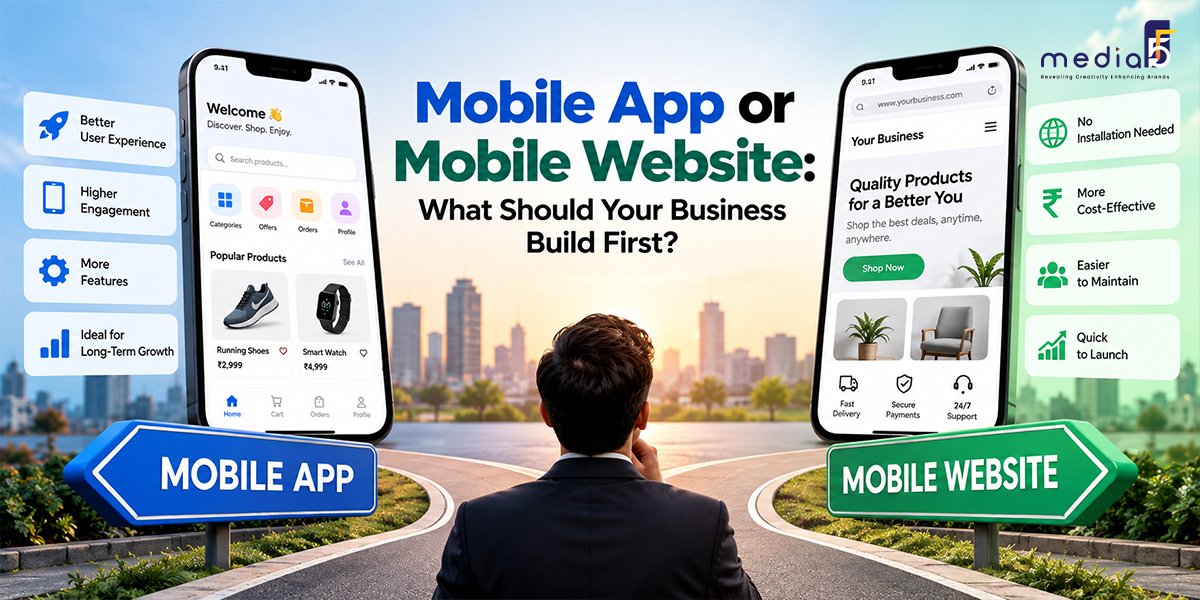
A customer discovers your business on their phone. They might want to compare products, check your services, book an appointment, or place an order. Should they open a website or download an app?
For a business owner, that question affects more than design. It influences your development budget, marketing strategy, customer experience, and ongoing maintenance.
The mobile app vs mobile website decision starts with understanding what customers need to do and how often they need to do it. A mobile-friendly website is usually the practical first investment for businesses seeking visibility and enquiries. An app can deserve priority when frequent use, offline work, or specific device capabilities are central to the service.
This guide explains how to choose your starting point and recognize when your business is ready for the next step.
Mobile App vs Mobile Website: What Is the Difference?
A mobile website opens in a browser through a link. Customers can reach it from search results, advertisements, social media, emails, or QR codes. Most businesses use responsive website design, allowing one website to adapt to phones, tablets, and desktop screens.
A mobile app is software installed on a device, commonly through an app store. It can provide a dedicated experience for activities such as ordering, messaging, tracking deliveries, or completing fieldwork.
A web application is another useful distinction. It runs in a browser but supports interactive tasks such as managing accounts, booking services, or accessing a customer dashboard. Many business requirements can be delivered through a web application without requiring an installed app.
Decision factor | Mobile website | Mobile app |
Getting started | Open a link | Usually download and install |
Customer discovery | Searchable public pages and shareable links | App-store discovery and other marketing channels |
Best-fit usage | Research, enquiries, occasional purchases | Frequent tasks and ongoing engagement |
Device integration | Depends on browser support and permissions | Often offers deeper platform integration |
Updates | Changes published centrally | Distribution may involve store review and user updates |
Maintenance | Browser, hosting, security, and website upkeep | Device, operating-system, store, and application upkeep |
Neither option guarantees sales. Results depend on whether the experience helps customers complete something valuable.
When Should Your Business Build a Mobile Website First?
When New Customers Need to Find You
If your main challenge is generating enquiries, a website gives prospective customers somewhere to evaluate your business.
A person searching for a manufacturer, consultant, salon, or renovation company usually needs information before making contact. Service descriptions, product specifications, project examples, and clear contact options support that decision.
Public website pages also provide destinations for search and advertising campaigns. Their visibility depends on content quality, technical accessibility, competition, and ongoing optimization.
For businesses establishing this foundation, MediaF5’s website design and development services include responsive design, custom development, and user experience work.
When Customers Interact Occasionally
Consider a customer hiring an interior designer. They may review completed projects, request a consultation, and discuss their requirements. An app download adds another step before those straightforward actions.
The same reasoning applies to many professional services and B2B purchases. If customers interact infrequently, an accessible mobile website may meet their needs effectively.
Start by asking what customers need to accomplish during a visit. If the answer is “understand our offering and contact us,” prioritize those actions.
When You Need to Test Demand
A website can help a new business learn which services attract interest and where visitors abandon the enquiry process.
You can test messaging, refine forms, adjust pricing explanations, and improve navigation as feedback arrives. This makes a website useful when the business proposition or customer journey is still changing.
However, scope matters. A complex browser-based platform can require more investment than a simple app. Compare equivalent requirements rather than assuming every website is inexpensive.
When Does Building a Mobile App First Make Sense?
When Frequent Use Creates Clear Value
An app becomes more compelling when users repeatedly complete a task and benefit from a dedicated experience.
Examples include a daily learning tool, a delivery service with frequent orders, or an operational application used by staff every shift. Saved preferences, quick access, and well-designed workflows can reduce effort over time.
Frequency alone does not prove the case. Identify what the app improves: faster ordering, fewer mistakes, more convenient access, or better continuity between sessions.
An app that simply repeats a brochure website gives customers little reason to install it.
When the Core Workflow Needs Device Capabilities
Some products depend on reliable access to device functions or operation in difficult conditions.
A field service team might need to record inspections without connectivity and synchronize later. A connected-device product may require Bluetooth integration. A transport application may need carefully managed background location.
Browsers can support capabilities such as camera access and geolocation, so those features do not automatically require an app. The decision depends on the depth of integration, supported devices, permissions, and reliability requirements.
Document the workflow and validate its technical requirements before choosing the platform.
When You Already Have an Engaged Audience
An established business may have customers who regularly reorder, check account information, or manage bookings.
That existing behaviour creates a stronger starting point than hoping an app will generate loyalty by itself. Customer interviews and usage data can reveal whether people want an installed experience.
Notifications can support useful reminders and updates, but they require permission and thoughtful timing. Their value comes from relevance to the customer.
Compare the Full Budget Before Choosing
The initial development quote is only part of the investment. Ask what it will cost to operate, improve, and support each option after launch.
A website budget may include hosting, security, backups, content updates, integrations, accessibility improvements, and performance monitoring.
An app budget may also include store publishing, device testing, operating-system compatibility, crash monitoring, and support for older versions. Cross-platform development can share substantial code, but platform-specific testing still matters.
Both options may need backend systems, payment integrations, analytics, and customer support. Marketing and onboarding also deserve a budget: launching an app does not ensure people will discover or install it.
Compare proposals using the same core features, integrations, support period, and quality requirements. Ask developers to separate essential launch functionality from optional additions.
Could a Progressive Web App Be the Right Middle Ground?
A progressive web app, or PWA, uses web technologies to offer selected app-like capabilities. Depending on implementation and platform support, it can provide installation, offline behaviour, and notifications. These features require deliberate development and testing.
A PWA may suit a customer portal, booking system, or repeat-ordering service when browser access remains valuable.
It still needs a business case. If customers only want your opening hours and phone number, extra functionality may add little value. If they need specialized hardware integration or demanding background operations, an installed app may be more suitable.
Test the proposed experience on the devices your customers actually use.
A Practical Framework for Choosing What to Build First
1. Define the Main Business Outcome
Choose one priority: qualified enquiries, completed orders, faster staff workflows, or better repeat engagement.
This keeps development decisions connected to a measurable purpose. “Having an app” is a deliverable; reducing order-processing time is an outcome.
2. Map the Customer Journey
Identify where users arrive from and what they do next.
A customer coming from Google to request a quote benefits from a direct landing page. An employee repeatedly recording deliveries may benefit from a dedicated app.
Look for unnecessary steps between the user’s intent and the completed action.
3.Identify Essential Features
Separate requirements that make the service work from features that would simply be pleasant to have.
Booking forms, account access, and online payments can often work through a website. More specialized capabilities need technical evaluation.
This exercise prevents the platform choice from being driven by a long wishlist.
4. Check Your Capacity After Launch
Decide who will manage updates, content, customer issues, and performance.
A successful launch creates ongoing responsibilities. Choose a solution your business can support consistently.
5. Set Evidence for the Next Investment
Agree on what would justify adding an app later. Useful evidence includes frequent returning users, repeated requests for app-specific functionality, or a workflow problem that remains difficult to solve through the website.
Avoid treating download totals as the sole measure of success. Active usage, completed tasks, retention, and support costs provide a clearer picture.
What Should Your First Version Include?
For a website, focus on clear service or product information, readable mobile layouts, fast-loading pages, visible contact options, and straightforward enquiry or checkout flows.
Analytics should measure meaningful actions such as bookings, purchases, and qualified form submissions. Collect customer information only when it serves a clear purpose.
For an app, prioritize the core repeat task, simple onboarding, reliable performance, and helpful error handling. Build offline functionality only where the workflow needs it.
MediaF5 lists website planning, responsive web design, and maintenance among its services. Businesses can explore MediaF5 when planning a website foundation aligned with their wider digital marketing needs.
Conclusion: Build Around the Customer’s Immediate Need
For many businesses, a mobile website is the right first step because customers need an easy way to discover the business, understand its offering, and take action.
An app deserves priority when the product depends on frequent use or capabilities that an installed experience can deliver more effectively.
Choose the smallest useful solution that addresses your immediate business goal, then expand based on customer behaviour. To discuss your website requirements, contact MediaF5 with your target audience, essential features, and launch priorities.